
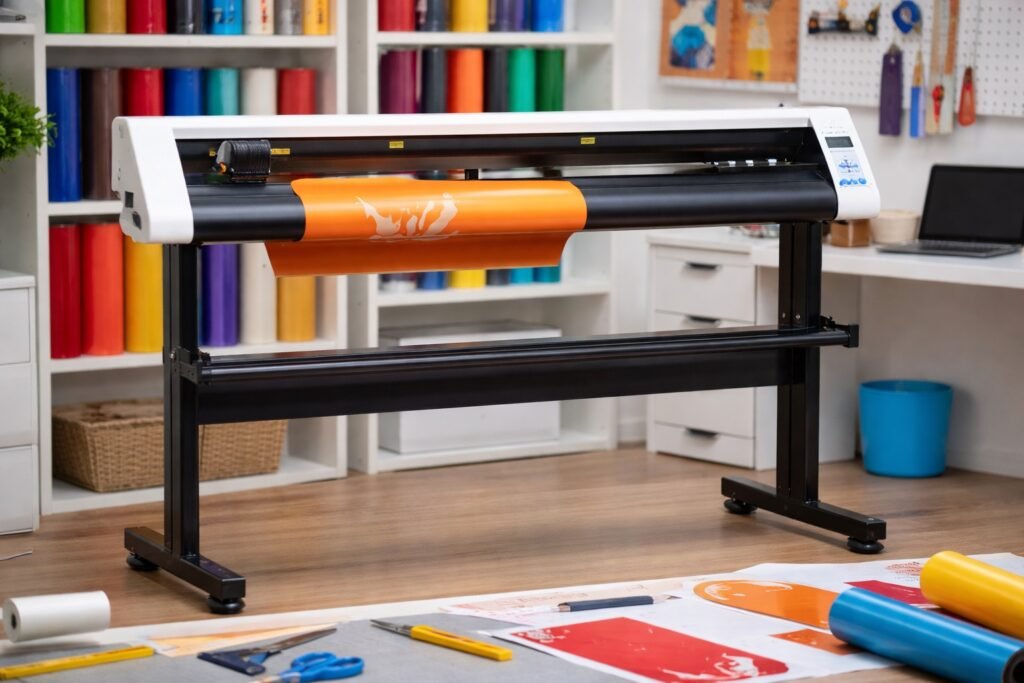
Redsail Vinyl Cutter helps you create clean designs with better control and steady results. Many users choose this plotter machine for sign work and craft projects. You can improve output quality by learning simple setup and handling tips. The following guide shares practical steps that support neat and sharp cuts every time.
Redsail Vinyl Cutter Setup Tips for Better Plotter Machine Performance️
Choose a Stable Work Surface
Place the plotter machine on a flat table. A firm surface reduces vibration and keeps the blade steady. Stable placement supports accurate tracking and sharp design edges.
Adjust Blade Depth with Care
Set the blade depth before you start work. Too much blade depth tears vinyl and ruins fine lines. A correct setting allows the Redsail Vinyl Cutter to glide through material smoothly.
Check Material Alignment Before Cutting
Feed vinyl straight into the rollers. Misaligned material causes crooked designs and wasted sheets. Take time to align the media for better plotter machine performance.
Redsail Vinyl Cutter Calibration Tips for Accurate Plotter Machine Results
Run a Test Cut Before Full Production
Use a small test shape to check cutting quality. Test cuts show if pressure or speed needs adjustment. This step saves material and improves Redsail Vinyl Cutter accuracy.
Adjust Cutting Pressure Step by Step
Increase pressure in small steps only. High pressure damages the backing sheet and dulls the blade faster. Balanced pressure supports cleaner edges on every plotter machine job.
Set the Correct Cutting Speed
Slow speed works better for detailed graphics. Fast speed suits large simple shapes. Speed control helps the Redsail Vinyl Cutter deliver smooth lines without rough edges.
Redsail Vinyl Cutter Maintenance Tips for Long Plotter Machine Life
Clean the Blade Holder Regularly
Dust and vinyl pieces collect inside the holder. Clean the holder to maintain free blade movement. Regular cleaning keeps the Redsail Vinyl Cutter sharp and reliable.
Lubricate Moving Parts on Schedule
Apply light oil to rails and rollers. Smooth movement improves tracking accuracy during long cutting sessions. This practice also supports steady plotter machine operation.
Replace Worn Blades on Time
Blunt blades drag vinyl instead of slicing it. Replace the blade once you notice rough edges or missed cuts. Fresh blades help the Redsail Vinyl Cutter maintain high precision.
Redsail Vinyl Cutter Design Tips for Creative Plotter Machine Output
Use Simple Design Paths for Better Cuts
Complex paths increase cutting time and risk errors. Simplify shapes before sending them to the plotter machine. Clean paths allow the Redsail Vinyl Cutter to produce sharper results.
Mirror Designs When Working with Heat Transfer Vinyl
Mirroring prevents reversed graphics during pressing. Always check design orientation before cutting. This step helps the Redsail Vinyl Cutter create correct layout placement.
Keep Spacing Between Small Elements
Tiny gaps prevent vinyl from lifting during weeding. Proper spacing also improves design clarity on finished signs. Smart layout planning boosts plotter machine productivity.
Redsail Vinyl Cutter Handling Tips for Professional Plotter Machine Finishes
Use Strong Pinch Roller Pressure
Firm roller grip keeps vinyl from slipping. Slippage leads to uneven shapes and repeated work. Correct pressure helps the Redsail Vinyl Cutter track material smoothly.
Weed Vinyl Slowly and With Focus
Remove excess vinyl in small sections. Careful weeding protects delicate parts of the design. Good handling enhances the final look of every plotter machine project.
Store Vinyl in a Dry and Clean Place
Humidity affects adhesive strength and cutting quality. Proper storage keeps sheets flat and ready for use. Dry storage conditions support consistent Redsail Vinyl Cutter performance.
Practical Tips to Improve Daily Workflow with a Plotter Machine️
- Organize your design files before starting production.
- File management reduces confusion and saves valuable time.
- Label material rolls to identify color and type quickly.
- Plan cutting sequences to avoid repeated setup adjustments.
- Schedule routine checks for blade condition and roller grip.
- Keep spare parts ready to prevent project delays.
- Use high quality vinyl to achieve sharper and cleaner finishes.
- Avoid overloading the plotter machine during long cutting sessions.
- Allow cooling time between heavy workloads for better device life.
- Maintain a cutting log to track settings and results.
This record helps you repeat successful Redsail Vinyl Cutter settings later.
Common Mistakes to Avoid When Using a Redsail Vinyl Cutter
- Users often ignore test cuts and waste material.
- Skipping calibration leads to uneven edges and design distortion.
- Many operators use high speed for detailed work.
- Fast motion causes tearing and missed shapes.
- Improper blade depth also damages backing sheets.
- Lack of cleaning reduces cutting accuracy over time.
- Poor material alignment creates skewed graphics.
- Rough handling during weeding destroys small design parts.
Avoid these mistakes to maintain plotter machine efficiency. Smart usage keeps the Redsail Vinyl Cutter working at peak performance.
Conclusion
Redsail Vinyl Cutter offers strong performance for sign makers and creative professionals. Correct setup, careful handling, and regular maintenance improve cutting quality. These simple tips help you achieve cleaner lines and sharper design edges. Consistent practice builds confidence and boosts overall productivity.
If you want reliable cutting solutions, choose Redsail services for your next project. Contact the team today and experience smooth plotter machine performance with expert support.