
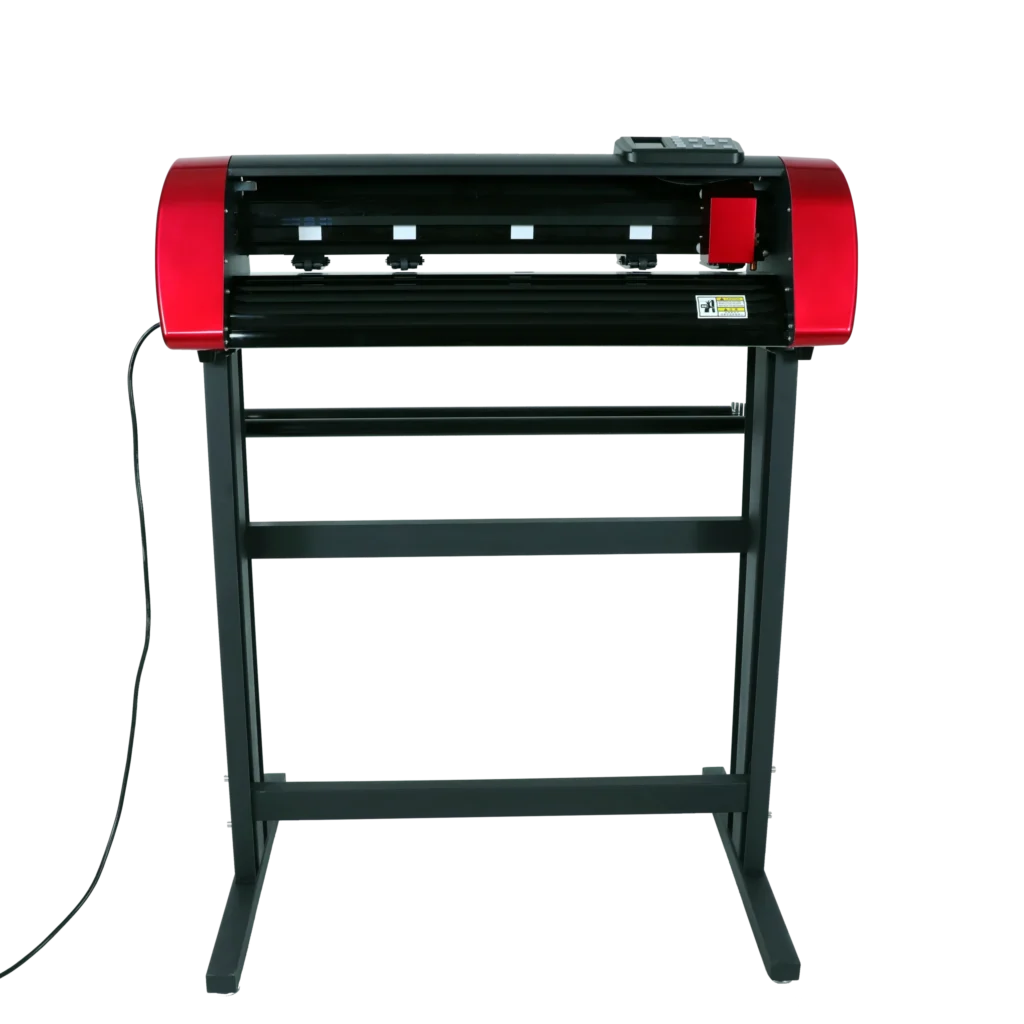
If you work with a vinyl printer and cutter, you know the frustration of something going wrong mid-job. A misaligned cut, a smudged print, or a blade that won’t cooperate these issues waste your time and materials. The good news? Most of these problems have simple fixes. Let’s walk through the eight most common ones and how to solve them.
1. Your Cuts Are Not Lining Up With the Print
This is one of the most common complaints among vinyl cutter users. You print a design, load it into the cutter, and the cut lines miss the mark.
Why This Happens
- The registration marks (crop marks) are not being read properly.
- The material shifted during loading.
- The cutter’s optical sensor is dirty or miscalibrated.
How to Fix It
Clean the sensor with a dry lint-free cloth. Re-calibrate the contour cut settings in your software. Always load the vinyl straight and flat. Make sure you print registration marks at a high-contrast setting so the sensor picks them up easily.
2. The Blade Keeps Skipping or Dragging
When your vinyl cutting machine skips sections or drags the material, your cuts come out jagged or incomplete.
Why This Happens
- The blade is dull or worn out.
- Blade depth is set too deep or too shallow.
- The cutting speed is too fast for the material.
How to Fix It
Replace the blade. This is the first thing to check. Worn blades are one of the top reasons cuts go bad. When replacing, look for quality cutting plotter spare parts that match your machine model. A wrong blade can cause more damage. After replacing, adjust the blade depth by doing a test cut on a small piece of vinyl. The blade should cut through the vinyl but not the backing.
3. Ink Smearing or Fading Right After Printing
Your printed vinyl looks great coming out then the ink smears or fades fast.
Why This Happens
- You are using the wrong vinyl type for your printer.
- The ink settings do not match the media profile.
- The vinyl is not feeding flat through the print path.
How to Fix It
Always match your media type in the printer driver settings. Use vinyl that is rated for your specific printer solvent, eco-solvent, or latex. Let the print dry fully before handling. If fading is the issue, check your ink density settings and color profiles. A properly set vinyl printer produces rich, durable colors without smearing.4. The Material Keeps Feeding Crooked
You load the roll straight, but the vinyl drifts to one side during printing or cutting.
Why This Happens
- The pinch rollers are uneven or not gripping the media properly.
- The roll is not centered or aligned to the guides.
- The media flanges are loose.
How to Fix It
Check that all pinch rollers are seated evenly and applying equal pressure. Align the vinyl roll to the guide marks on your machine. Tighten any loose media flanges. For machines that use a roll holder, make sure the roll sits flat and does not wobble. Crooked feeding leads to wasted material and ruined jobs catching it early saves you money.
5. Your Machine Is Making Loud or Strange Noises
A clicking, grinding, or squeaking sound from your vinyl cutter is never a good sign.
Why This Happens
- The carriage belt is loose or worn.
- The cutting head rail needs lubrication.
- A small piece of debris is stuck inside the machine.
How to Fix It
Turn off the machine and inspect the carriage belt. If it looks frayed or feels loose, it needs replacement. Lubricate the rail with the recommended machine oil never use WD-40 or general-purpose sprays, as they can damage components. Check for any debris or vinyl scraps inside the machine body. Sourcing the right cutting plotter spare parts, like belts and rails, from a trusted supplier makes a big difference in the lifespan of your machine.
6. Print Colors Look Wrong or Off
The colors on your printed vinyl do not match what you see on screen.
Why This Happens
- The color profile is not set up correctly.
- The print heads need cleaning.
- You are using a generic ICC profile instead of one matched to your vinyl.
How to Fix It
Run a nozzle check from your printer’s maintenance menu. If you see gaps or broken lines in the test print, run a head cleaning cycle. After that, download and install the correct ICC profile for your vinyl brand and printer model. Color accuracy in a vinyl printing setup depends heavily on matching profiles to materials.
7. The Blade Holder Keeps Loosening During Cuts
Mid-cut, the blade holder shifts or falls slightly, causing uneven pressure and inconsistent cuts.
Why This Happens
- The blade holder cap is not tightened properly.
- The holder itself is worn or cracked.
- Vibration from high-speed cutting is loosening it.
How to Fix It
After inserting the blade, tighten the cap firmly by hand. Do not over-tighten, but make sure it has no play. If the holder looks worn or cracked, replace it. This is a small but critical cutting plotter spare part that many people overlook. A loose blade holder causes uneven cuts that ruin the final product.
8. Weeding Is Tearing the Vinyl
After cutting, you try to weed (remove the excess vinyl), and the design keeps tearing or lifting along with the waste.
Why This Happens
- The blade cut too deep and scored the backing.
- The blade did not cut deep enough, leaving vinyl connected.
- The vinyl brand has a weak adhesive or thin face material.
How to Fix It
Go back to your blade depth settings. The blade should cut cleanly through the vinyl face but stop right at the backing. A shallow cut leaves connected pieces. A deep cut makes the design fragile. Do a test cut before running a full job. If you use thin or budget vinyl, switch to a better-quality material. A proper cut using a well-set vinyl printer and cutter combo will always weed cleanly.
Quick Tips to Prevent These Problems
- Always run a test cut before starting any large job.
- Clean your machine weekly especially the sensor and blade area.
- Stock quality cutting plotter spare parts before you need them.
- Store vinyl rolls flat or upright, never bent.
- Keep your firmware and software updated.
Conclusion
Most vinyl printer and cutter problems come down to three things: blade condition, material settings, and machine maintenance. Once you understand what causes each issue, fixing it becomes straightforward. You do not need to be a technician you just need the right information and the right parts.
At Redsail, we supply high-quality vinyl printers, cutters, and genuine spare parts to help you keep your machine running without interruption. Whether you need a replacement blade, a new carriage belt, or a full cutting plotter we have got you covered.
Ready to get your machine working like new? Contact Redsail today and let us help you find the right solution.