
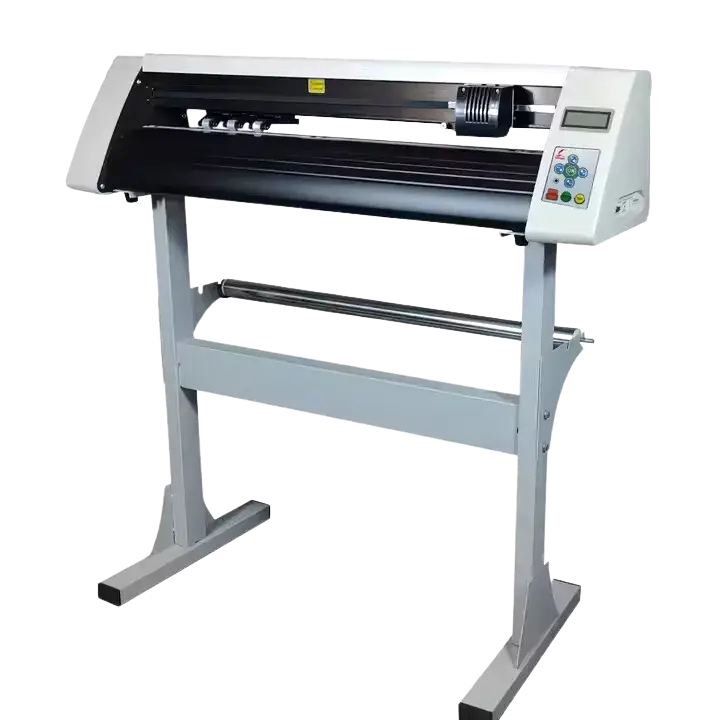
Redsail cutting plotters are trusted by sign makers, vinyl artists, and small business owners worldwide. They are affordable, reliable, and easy to use. But like any machine, they can run into problems. When your plotter stops working, it feels frustrating. You have deadlines. You have orders to complete. You need answers fast.
This guide covers the most common issues people face with their Redsail vinyl cutter plotters. It also explains what causes them and how to fix them. Some fixes are simple. Others may need replacement parts. Let’s get into it.
Your Plotter Is Not Cutting at All
This is the most reported problem with cutting plotters. You press cut and nothing happens.
Check the Connection First
The plotter receives data but does not move. This is almost always a connection issue.
- Check your USB cable. Replace it if it looks worn.
- Make sure you have the correct USB driver installed.
- Try switching from USB to serial connection if possible.
- Check the COM port settings in your software.
Your software must match the plotter’s assigned port. If the port is wrong, the machine will not respond.
Check Your Software Settings
Wrong software settings stop cuts from starting.
- Select the correct plotter brand: Redsail
- Choose the right model from the dropdown list
- Set the correct language (HPGL or DMPL)
- Make sure no other device is using the same COM port
If you use WinPCSign, ArtCut, or Easy Cut Studio, go into cutter settings and re-confirm these details.
The Cut Quality Is Poor Jagged or Uneven Edges
Your plotter is cutting, but the output looks bad. Lines are not clean. Edges look like tiny saw teeth. Circles are not smooth. Corners are off.
This is one of the most common complaints from Redsail cutting plotter users.
Adjust the Blade Depth
The blade is sticking out too much or too little.
- The blade tip should just barely scratch a coin
- Too deep = torn vinyl and messy edges
- Too shallow = incomplete cuts
Adjust the blade cap slowly and test on scrap vinyl.
Fix the Pressure and Speed Settings
Pressure that is too high tears the material. Pressure that is too low leaves uncut sections. Start with around 130g of pressure as a baseline. Then test and adjust from there. Speed also matters. Slow down for detailed designs. Fast speed on tight curves causes rough cuts.
Replace the Blade
Blades wear out. A dull blade drags instead of cutting. This is one of the most common Redsail cutting plotter spare parts that users overlook for too long. If you have not changed your blade in months, that is likely the reason your cuts look rough. Fresh blades make a huge difference in cut quality.
The Plotter Cuts in the Wrong Place
You send a design, but the cut lands in the wrong spot. The contour cut is off. Registration marks are missed. One side is overcut, the other is undercut.
Set the Blade Offset Correctly
The blade tip is not at the same point as the red dot. You need to measure this distance (called blade offset) and enter it into your cutting software.
- Position the blade at the first corner mark
- Set DX = 0 and DY = 0 as your starting point
- Then measure the offset from the blade to the laser dot
- Enter this value in your software settings
This step fixes most contour cut alignment issues.
Reload and Straighten the Media
If the vinyl is loaded crooked, your cuts will be off.
- Lift the pinch roller handle
- Align the vinyl straight with the feed rollers
- Press the vinyl down firmly before locking it in place
- Use the UP and DOWN keys to check it feeds straight
A misaligned sheet shifts during cutting and throws off the whole job.
H2: Common Spare Parts That Fix Most Problems
Many Redsail plotter issues come down to worn-out parts. You do not always need to replace the whole machine. The right cutting plotter spare parts can bring it back to life.
Blade and Blade Holder
This is the part that wears out the fastest. Replace your blade every few months depending on usage. A damaged blade holder also causes poor cut quality.
Pinch Rollers
Pinch rollers hold the vinyl in place while cutting. If they are worn or cracked, the vinyl slips. Slipping vinyl ruined cuts every time.
Replace pinch rollers as soon as you notice slipping.
Control Panel and Buttons
Some users report that ONLINE, SET, or TEST buttons stop working. This means the control panel needs replacing.
A faulty control panel can make the plotter seem dead even when everything else works fine.
Motherboard and Power Supply
These are less common failures but they do happen. If your plotter powers on but never responds, the motherboard may have an issue.
Always test simpler fixes first before replacing these. But if you need them, genuine Redsail cutting potters spare parts are available.
The Plotter Stops Mid-Cut
The machine starts a job but stops before finishing. This is annoying, especially on large designs.
Check for Data Transmission Errors
- The cutting file got interrupted during transfer
- Someone touched the keyboard while data was sending
- The software crashed or froze mid-job
Always let the file transfer fully before doing anything else. Close other programs that use the same COM port.
Check RAM and Internal Settings
Press the MIGRATION button, then the RESET button. Watch the LED lights flash.
- 1M RAM flashes 2 times (yellow, then green)
- 4M RAM flashes 8 times
If the lights flash correctly, the RAM is fine. If not, the RAM connection may need to be re-seated.
Avoid Power Supply Interference
A weak or unstable power supply causes random stops. It sends interference that confuses the plotter’s signals.
Use a stable power outlet. Avoid using the plotter on the same circuit as heavy machines.
Conclusion
Redsail cutting plotters are solid machines that handle a lot of daily work. Most problems have simple fixes a blade swap, a driver update, or a setting change.
But when the issue runs deeper, you need access to the right cutting plotter spare parts to get your machine back on track without buying a new one.
At Redsail, we stock genuine spare parts and offer technical support to help you fix issues fast. Whether your plotter needs a new blade holder, pinch rollers, a control panel, or something else we have you covered.
Contact us today and let us help you get your Redsail cutting plotter running perfectly again. Do not let a small problem stop your production. Reach out now and get the fix you need.